Full Face Analysis
One private, on-device scan for face shape, eye shape, canthal tilt, facial thirds, symmetry, golden ratio, and seasonal color.
Upload a photo
Your photo is analysed on your device. If you send it from your phone, it is encrypted end-to-end and deleted within 10 minutes.
Photo tips for the clearest result
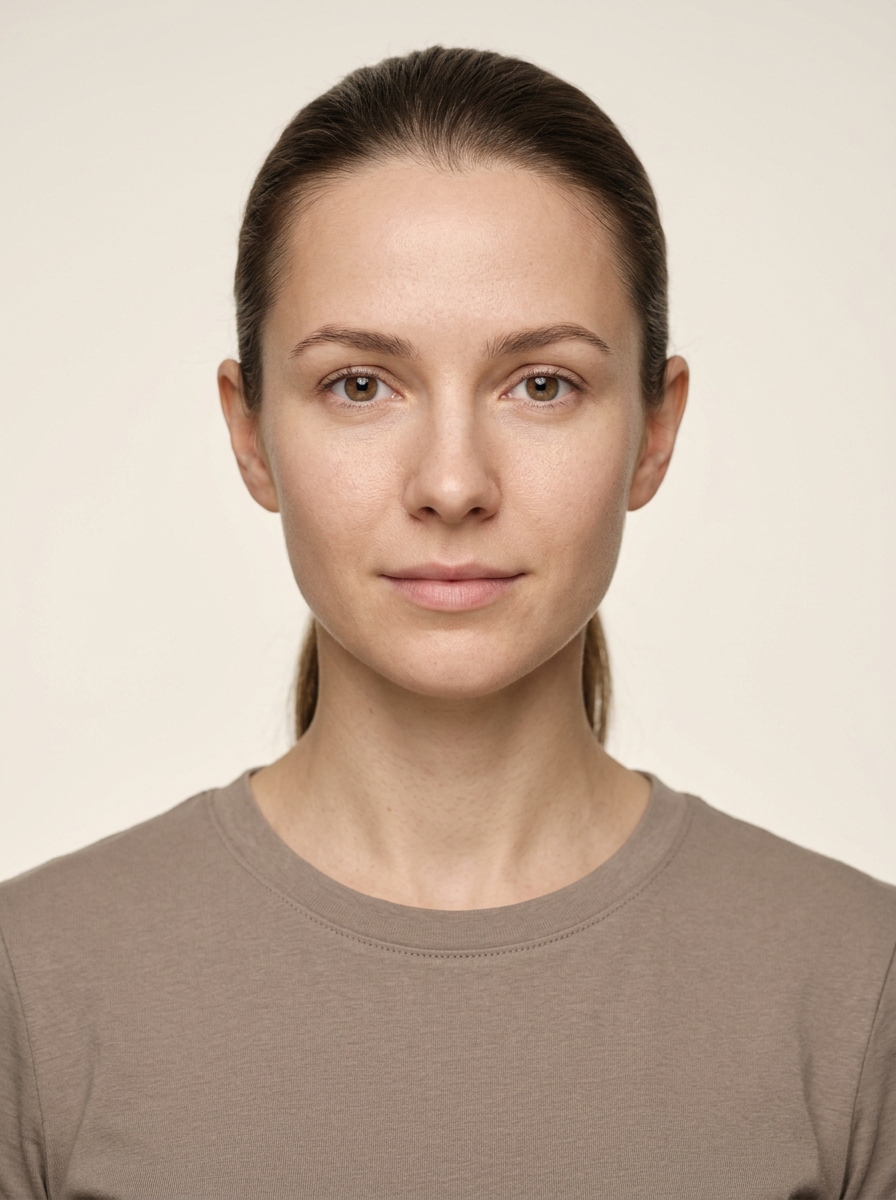
- Face straight into the camera with a neutral expression.
- Pull hair back from your forehead and jawline.
- Use even, front-facing light and remove glasses or hats.
- Keep your whole face centered and filling a good part of the frame.
Live output preview
Face & Eyes
Oval · Almond
Shape + eye contour + canthal tilt from one scan
One private scan populates all 7 facial modules simultaneously
Step-by-step guide
How to Run a Full Face Analysis
Get all seven facial geometry and color readouts from a single private browser scan in three steps.
Upload or capture a straight-on photo
Face the camera at eye level in even daylight with hair pulled back from your forehead and jawline.
Review your 7-module dashboard
Within seconds, the browser calculates your face shape, eye shape, canthal tilt, vertical thirds, symmetry alignment, closest golden ratio, and color season.
Drill into styling & proportion details
Click any summary card to explore its full interactive tool—or combine your results into a personalized style blueprint.
Reference ranges
What Your Full Face Analysis Covers
Instead of uploading the same selfie to seven separate websites, one local landmark pass computes every styling dimension together.
| Module | Primary Measurement | Practical Styling Use |
|---|---|---|
| Face shape | Length-to-width, jaw-to-cheekbone, and forehead balance | Choosing haircuts, bangs, beard lines, and sunglasses |
| Eye shape | Eye aspect ratio, lid openness, and crease geometry | Eyeliner wings, brow arches, and lens proportions |
| Canthal tilt | Inner-to-outer eye corner angle in degrees | Picking cat-eye vs. round frames and lash lift direction |
| Facial thirds | Upper, middle, and lower vertical percentages | Balancing forehead height, bangs, and collar necklines |
| Symmetry alignment | Left/right landmark deviation across the vertical midline | Comparing hair-part direction and natural camera angles |
| Golden ratio (1.618) | Seven classical facial proportions benchmarked to phi | Understanding which facial spans are longest or widest |
| Seasonal color | Cheek/forehead undertone warmth, depth, and brow contrast | Selecting clothing palettes, metals, and flattering neutrals |
Methodology & privacy
How Our On-Device Full Face Analysis Works
Full Face Analysis runs a single on-device MediaPipe 478-point facial landmark scan, corrects for slight head tilt using your inter-ocular axis, and feeds those normalized coordinates into all seven geometric and color modules simultaneously.
Every calculation happens strictly inside your browser tab with zero server uploads, no account wall, and no beauty ratings—giving you a transparent proportion baseline you can act on immediately.
Runs 100% locally in your browser via MediaPipe 478-point facial landmarks. Photos and measurements are never uploaded, stored on a server, or used to train AI models. Results are objective geometric style references—never clinical diagnoses or attractiveness ratings.
Read our full 478-landmark methodology & published sources →
Camera distance
Avoid close-up lens distortion
Holding a wide-angle smartphone camera inches from your nose artificially enlarges the center of your face and narrows the temples and ears. Step back to full arm’s length or use a 2× rear lens at eye level for accurate geometry.
Lighting & posture
Face even natural daylight
Harsh overhead shadows or side window light can shift cheek, brow, and jaw boundaries by several millimeters. Keep your chin level, relax your mouth, pull hair off your forehead, and look straight into the lens.
Zero-upload privacy
Processed strictly on device
Unlike cloud apps that upload selfies to remote GPUs, every landmark calculation runs inside WebAssembly in your browser tab. Closing the tab clears image memory immediately—nothing is logged, stored, or shared with third parties.
FAQ
Full Face Analysis FAQ
What does Full Face Analysis include?
One local scan computes seven descriptive modules at once: face shape, eye shape, canthal tilt, vertical facial thirds, bilateral symmetry alignment, golden-ratio proportions, and seasonal color undertone.
Does Full Face Analysis rate my attractiveness?
No. We never generate beauty or attractiveness scores. Every readout is an objective geometric or color measurement designed to help you choose flattering hairstyles, eyewear, and clothing colors.
How accurate is an on-device full face analysis?
With a straight-on, eye-level photo taken in even daylight and hair pulled off the forehead, MediaPipe’s 478-point mesh produces consistent proportions suitable for everyday styling guidance.
Can I open deeper details for a single metric?
Yes. Every card in your full face analysis dashboard links straight to its dedicated calculator—including mirror composites, left/right tilt breakdown, and seasonal color swatches.
What kind of photo gives the cleanest scan?
Use a neutral expression, look directly into the lens at arm’s length or farther, remove sunglasses, and face a window so both sides of your face are evenly lit.
Is my photo uploaded to a server?
No. All seven facial geometry and color modules run strictly inside your browser memory—no photo is ever uploaded, logged, or stored.