AI Hairstyle Try-On: Try On Hairstyles Online
Try different hairstyles on your face online with no app download. Pick a cut, bangs, color, glasses, or beard and upload a front-facing photo—input portraits are never saved.
Sign in with Google to claim 1 free welcome try-on (watermarked preview).
Sign in to try it onInteractive preview · 5 try-on modes
What makes the sharpest try-on
Frontal lighting with hair pulled away from your face keeps your features intact.
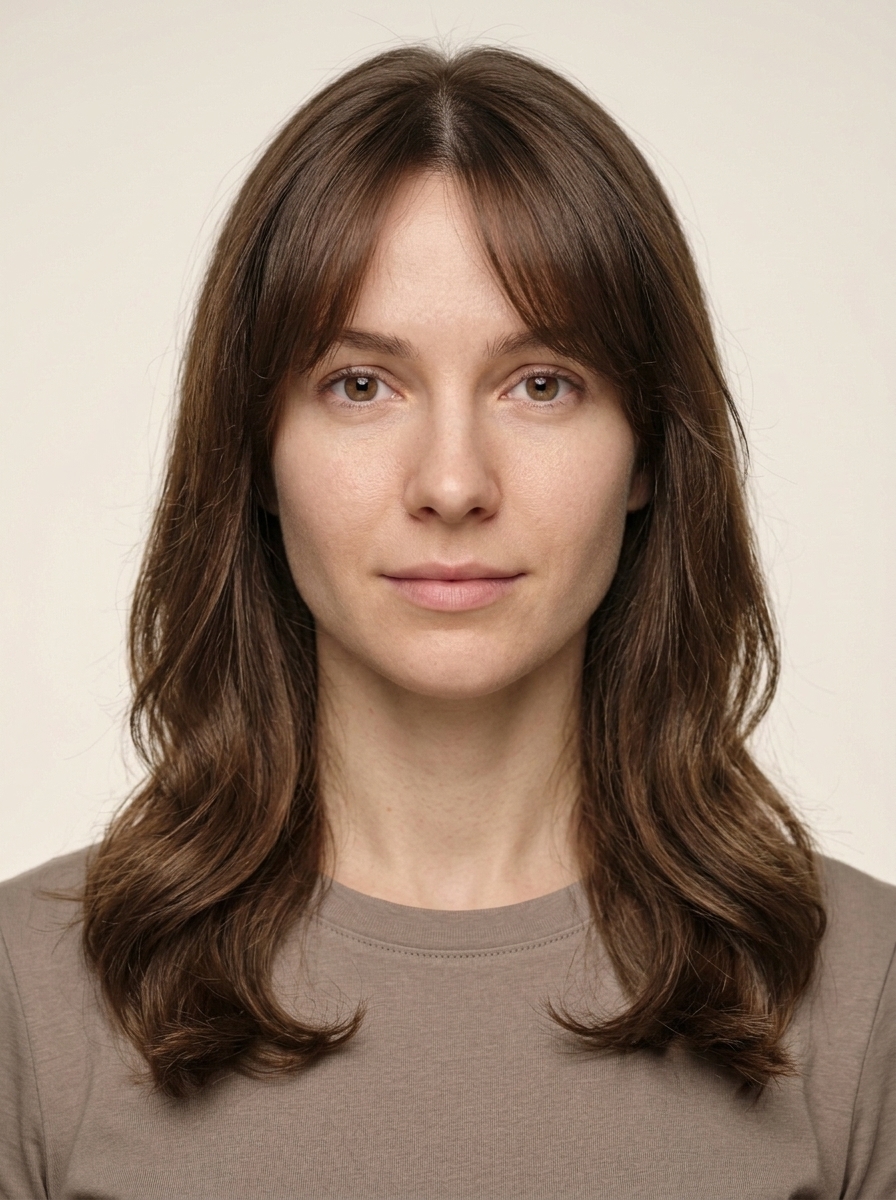 After · Curtain Bangs
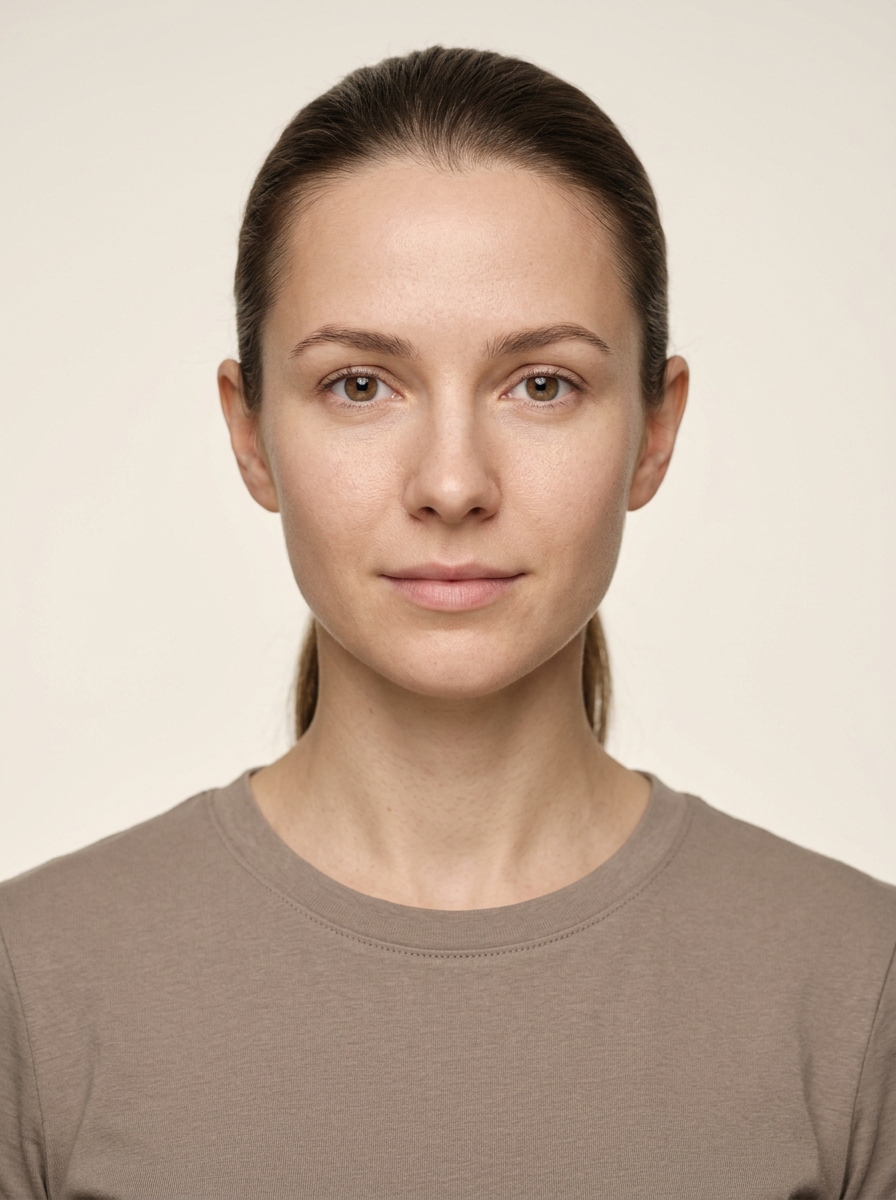 Before
Style lookbook · click any cut to load above
10 preview looksHow AI Hairstyle Try-On Works
Committing to bangs, a shorter bob, a new hair color, or a sharper fade is much easier when you can inspect the silhouette on your own proportions first. Our AI hairstyle try-on studio preserves your exact bone structure, eye geometry, skin tone, and lighting while re-rendering only the hair, eyewear, or beard zone you select.
01 · Pick a mode
Choose cut, color, or fringe
Select from 30+ face-shape-matched haircuts, 5 seasonal hair colors, 4 bang styles, 4 eyewear frames, or 4 beard cuts.
02 · Add a portrait
Upload from desktop or phone
Pick a front-facing daylight photo locally—or scan the encrypted QR code to beam a selfie directly from your phone camera.
03 · Compare & save
Drag before/after & download
Use the split slider to inspect forehead framing and jawline balance, then download the result or send it to your phone for your stylist.
5 Virtual Try-On Modes in One Studio
Instead of switching between separate apps for haircuts, color swatches, and eyewear, you can test every framing decision against the same reference portrait:
30+ Hairstyles (Women & Men)
Test collarbone lobs, French chin bobs, 90s blowout layers, textured pixies, tapered side parts, textured crops, quiffs, and crew fades.
Seasonal Hair Color
Preview Warm Honey Blonde, Rich Auburn Copper, Deep Espresso Brown, Cool Ash Brown, and Natural Jet Black while keeping your existing haircut.
Bangs & Fringe Studio
See how Curtain Bangs, Wispy Air Bangs, Blunt Full Bangs, or Side-Swept Bangs alter forehead height and cheekbone width before cutting.
Eyeglasses Frame Preview
Compare Slim Rectangular, Minimalist Round Wire, Subtle Cat-Eye, and Classic Browline optical frames against your jaw and eye spacing.
Beard & Jawline Framing
Preview Designer Short Stubble, Short Boxed Beard, Clean Goatee, or a Clean-Shaven look to see how facial hair shifts lower-third balance.
Strict Privacy & Zero Training
Unlike free filter apps that harvest selfies, we never store your uploaded input portrait and never use customer images to train AI models.
Best AI Hairstyle Try-On Cuts by Face Shape
Not sure which cut to preview first? Match your face shape detector result to the proven starting cuts below:
| Face Shape | Top Women’s Try-On Cuts | Top Men’s Try-On Cuts |
|---|---|---|
| Oval | Soft Layered Lob, Blunt Collarbone Bob, Curtain Bangs Waves | Classic Taper Side Part, Textured Quiff Fade, Modern Crop |
| Round | Long Feathered Layers, Deep Side-Part Waves, Asymmetric Lob | Textured Quiff Fade, High Volume Pompadour, Ivy League Crew |
| Square | Soft Layered Lob, Side-Swept Bangs Lob, Tousled Wavy Lob | Classic Crew Cut, Clean Buzz Fade, Modern Textured Crop |
| Heart | French Chin-Length Bob, Curtain Bangs, 90s Blowout Layers | Layered Medium Sweep, Messy Forward Fringe, Curtained Part |
| Diamond | French Chin-Length Bob, Wispy Side-Bangs Lob, Curtain Waves | Messy Forward Fringe, Layered Medium Sweep, Textured Crop |
| Oblong | Curtain Bangs Waves, Full Blunt Bangs Midi, Soft Shag | Modern Textured Crop, Messy Forward Fringe, Taper Side Part |
| Triangle | Textured Pixie with Crown Volume, Soft Shag, Deep Side Waves | Textured Quiff Fade, Pompadour, Layered Medium Sweep |
Photo Quality Tips & Privacy Standards
For the sharpest hairline blend, upload a well-lit front-facing portrait taken at eye level from arm’s length. Keep both ears and your full forehead unobstructed if you plan to test bangs or short cuts. Before your first generation, we ask for explicit biometric consent, and you can delete any generated preview permanently at any time from My Data.
AI Hairstyle Try-On FAQ
How does AI hairstyle try-on work without changing my face?
Our AI hairstyle try-on pipeline uses identity-preserving image editing: it isolates the hair, fringe, eyewear, or beard region while locking your exact facial structure, eye spacing, skin tone, lighting, and background in place.
What kind of photo gives the most realistic AI hairstyle try-on result?
Use a sharp, front-facing headshot in even natural daylight with your face centered and hair pulled back or lying naturally. Avoid heavy filters, sunglasses, tilted angles, or dark shadows across the forehead.
Is my uploaded photo stored or used for AI training?
No. Your original portrait is transmitted over HTTPS solely to render your requested preview and is never stored or used for model training. Generated previews stay in your private account for 30 days and can be deleted immediately from My Data.
Can I preview hair color, bangs, glasses, and beards in addition to haircuts?
Yes. Switch between the 5 studio tabs—Hairstyles (30+ cuts for women and men), Hair Color (5 seasonal shades), Bangs (curtain, wispy, blunt, side-swept), Glasses (4 frame geometries), and Beard (stubble, boxed, goatee, clean-shaven).
Do I get a free AI hairstyle try-on before buying credits?
Yes. New accounts include 1 complimentary welcome try-on credit (with a subtle watermark) so you can test the quality on your own portrait before purchasing a one-time credit pack.
Are there any recurring subscriptions for AI hairstyle try-on?
No. All credit packs ($4.99, $9.99, and $19.99) are one-time purchases with no auto-renewal, backed by our 7-day refund policy.
How do I know which hairstyle to try on first?
Run our free on-device Face Shape Detector or Hairstyle Finder first to narrow down 3 to 4 cuts tailored to your proportions, then click "Try it on me" on any lookbook card to load that exact cut here.
Can I take my AI hairstyle preview to my salon or barber?
Yes. Every rendered preview includes a direct high-resolution Download button plus a QR code to send the finished before-and-after image straight to your phone before your appointment.